A different desk. Another rearrangement.
Your monitor sits on the right at home and on the left at work. Your Mac’s display arrangement needs to follow.
 DeskCommit
Less time in Mac Display Settings.
Move a monitor to the other side. Make text easier to read. Change your main display. DeskCommit puts those everyday adjustments in one keyboard-first palette.
One-time purchase · 2 Macs per person · 7-day refund guarantee
The small interruptions add up
Your monitor sits on the right at home and on the left at work. Your Mac’s display arrangement needs to follow.
More room for work, or a more comfortable reading size. Switching resolution should fit into the task you’re doing.
The arrangement, resolution, and main display are already familiar. Setting each one again is the tedious part.
A shorter route to your setup
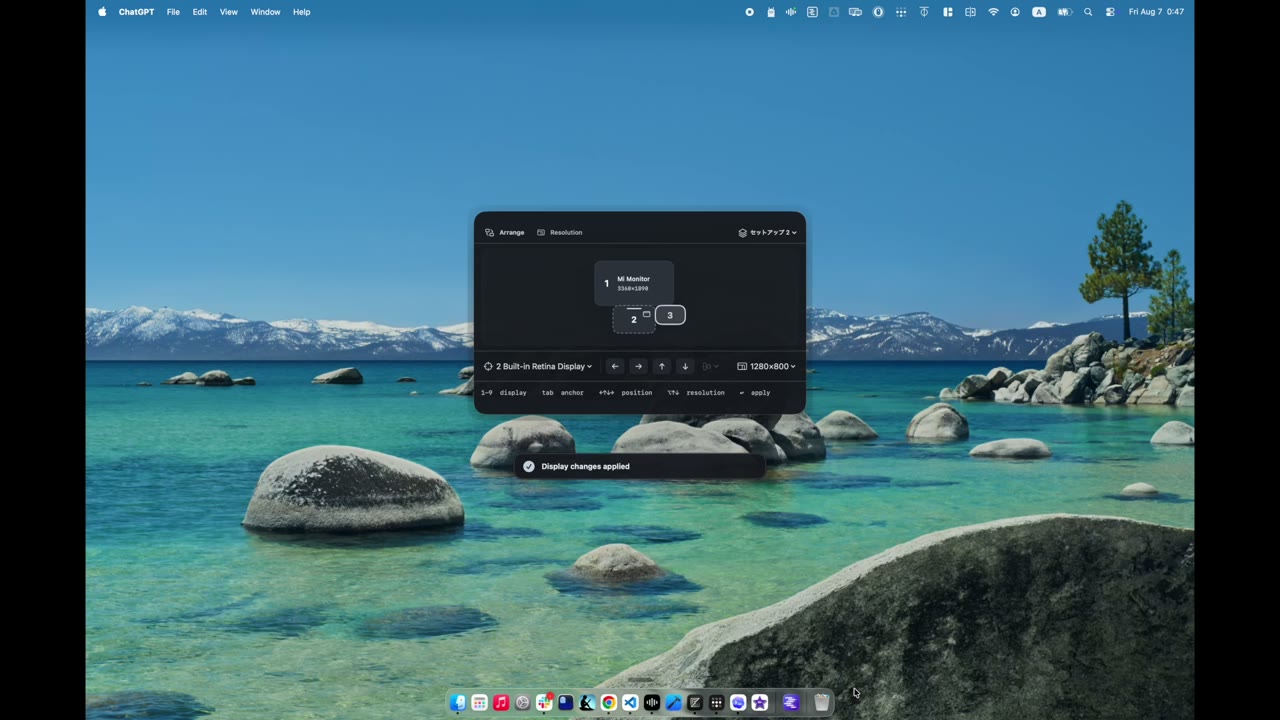
Press Control–Shift–D to open DeskCommit, then choose the display you want to change.
Place it above, below, left, or right of an anchor display. Use Shift–Arrow to align edges or centers.
Check the pending arrangement and press Return. Resolution, refresh rate, and main display are in the same palette.
DeskCommit
Manually restore saved arrangement and display settings when the same displays are connected. Connecting a monitor does not trigger automatic restoration.
Review pending changes before applying them, or use Undo afterward. Low-resolution changes revert after 15 seconds unless you confirm them.
DeskCommit Personal
macOS 13 or later · Apple silicon / Intel
US$4.99
One-time purchase / No subscription
DeskCommit Personal · For one person on up to two Macs.
Buy DeskCommitTax and the final total appear at checkout. Request a full refund within 168 hours of payment. There is no free trial.
After purchase, get your license key in the receipt, install the DMG from the official site, and activate the app. Purchase and first activation require an internet connection.
Lemon Squeezy normally uses your browser language at checkout. You can change it at the bottom of the checkout page.
By completing your purchase, you agree to the Terms.
It brings arrangement, resolution, refresh rate, and main display selection into one palette. Arrange displays with arrow keys and reduce repeated trips to System Settings.
No. With the same displays connected, you can manually restore a saved setup from DeskCommit.
You choose from modes available to your Mac and displays. Available settings depend on your Mac, monitor, dock, and cable. DeskCommit does not raise hardware display limits or add unsupported modes.
No. DeskCommit works on Apple silicon and Intel Macs running macOS 13 or later.